Work / Personal productivity
Carryall: keep track of what needs doing.
Carryall brings captured information, next actions, and project review into one workflow. I use it daily to manage my work.
Try the working demo (opens in a new tab)
- Status
- Working system in daily use
- Approach
- Capture, organize, act, and review
- Demo data
- Fictional
- Demo functionality
- Working application and AI
A working system in daily use
Carryall helps me capture information, organize what needs to happen next, and review outstanding work.
It puts those steps in one application, so I can move from capturing something to deciding what to do with it and keeping track of the next action.
A look inside the system
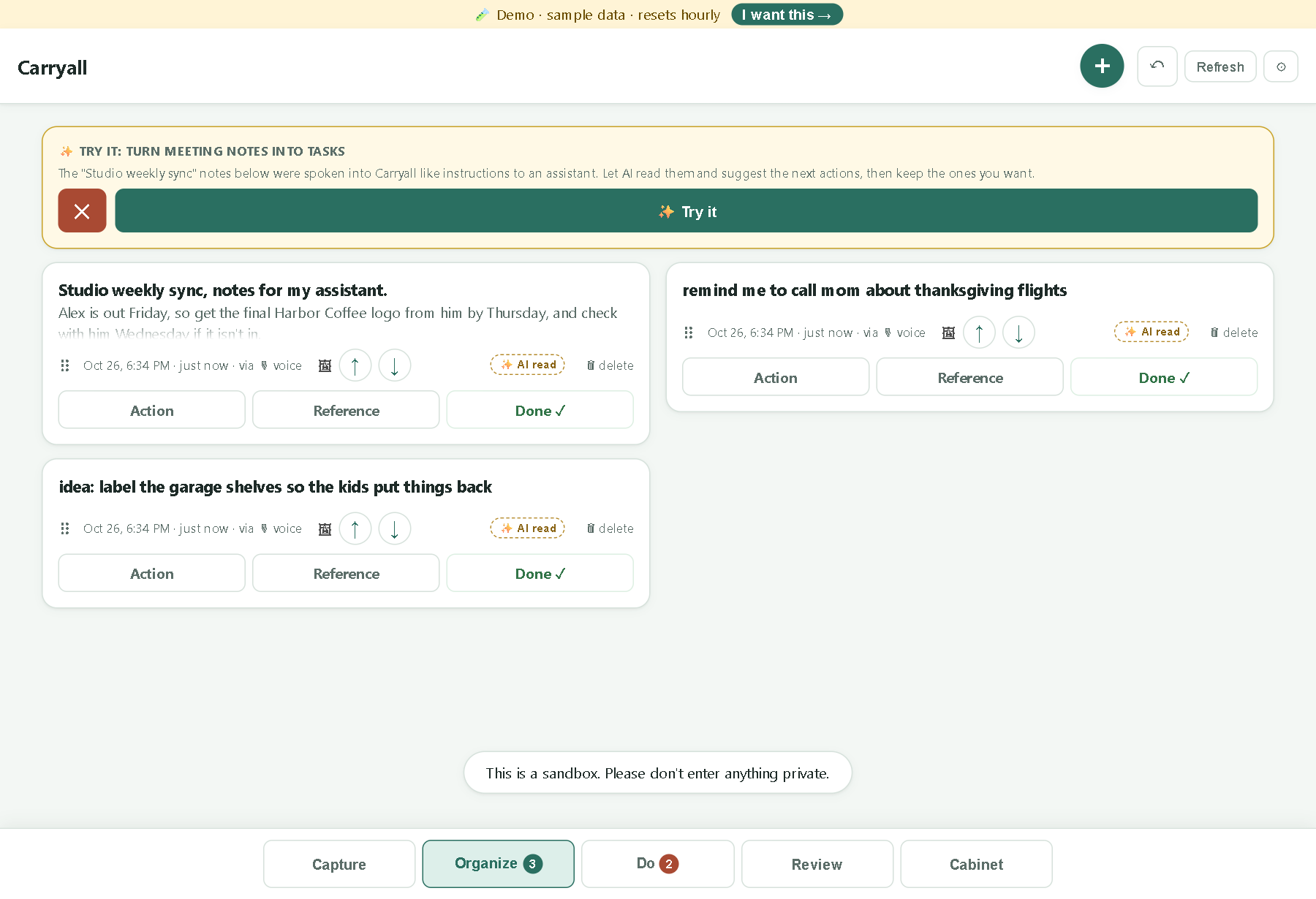
Get it out of your head and into one place.
Capture information before it gets lost. The demo includes sample meeting notes and an AI-read option for suggesting next actions.
Open full-size image (new tab)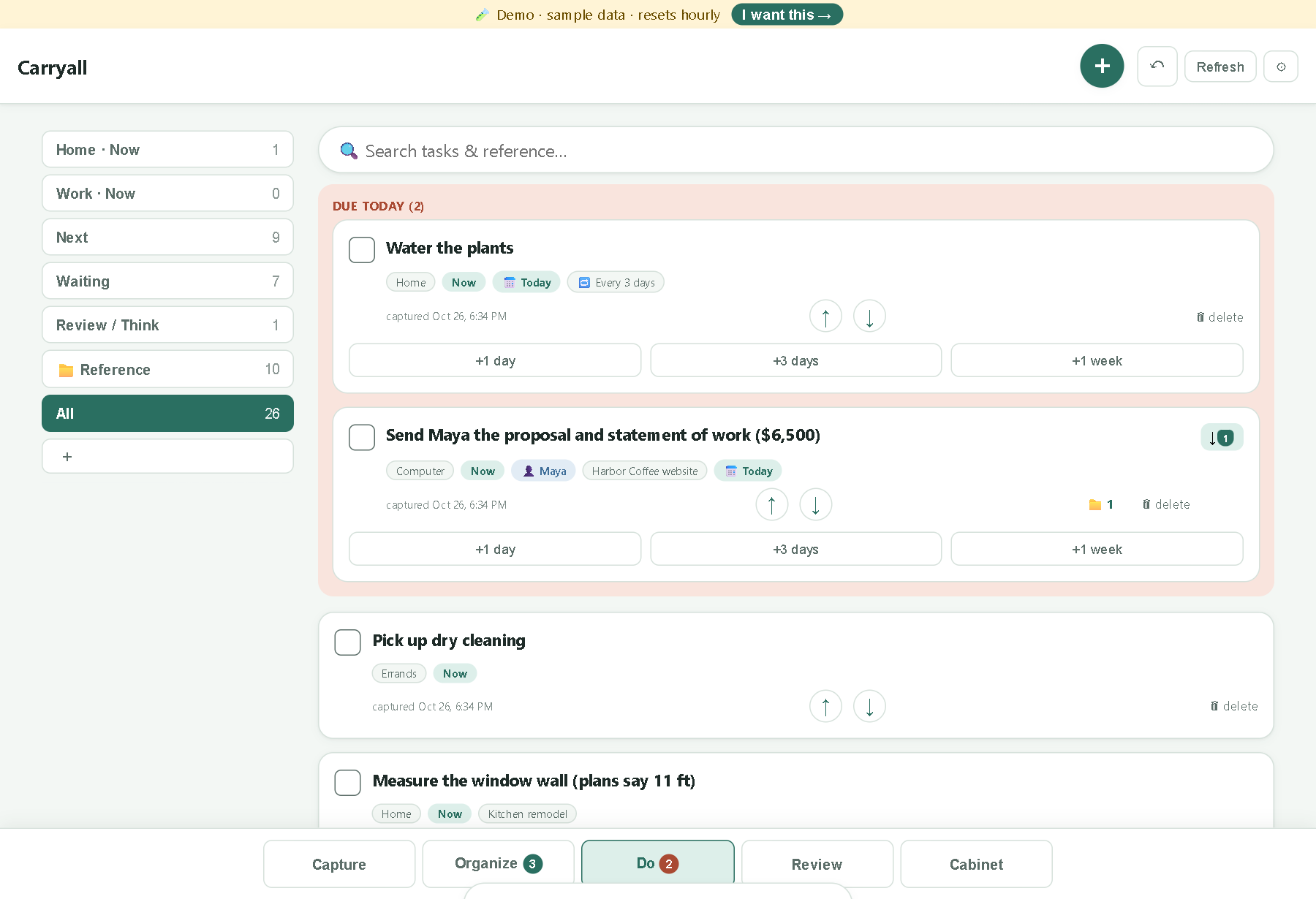
See what needs doing today.
See due dates, next actions, and items you are waiting on alongside the information needed to do the work.
Open full-size image (new tab)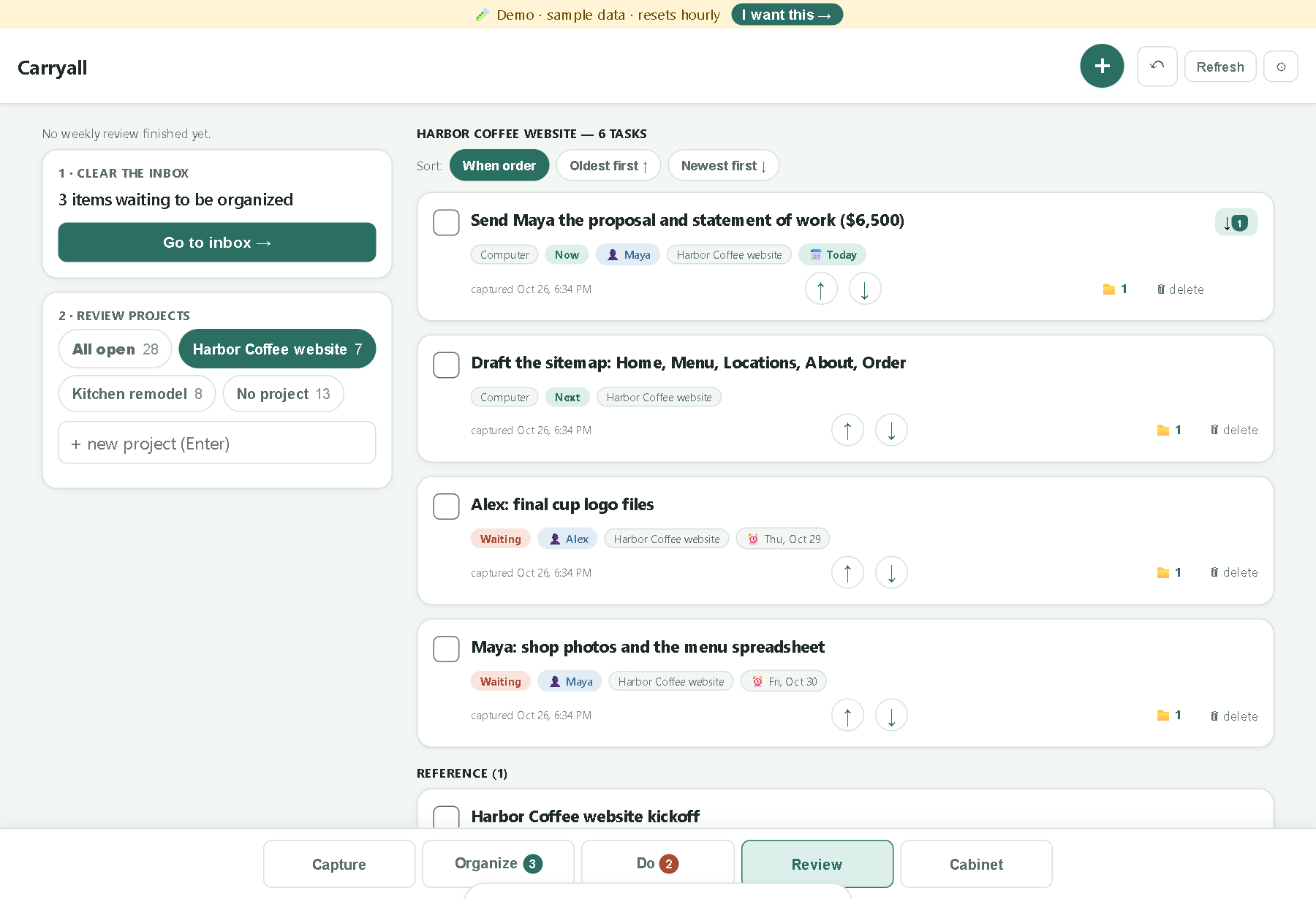
Keep the whole project in view.
Review a project in one place: what is ready to do, what is waiting, and the reference information that belongs with it.
Open full-size image (new tab)Try it with fictional data
The demo lets you explore a working version of the application. The example data is fictional, but the underlying workflow and AI are functional.
Explore how information moves from capture to organized actions and review.
- CaptureGet information and things to do into one placePerson
- OrganizeDecide the next action and where it belongsPerson
- ActWork from the actions I have organizedPerson
- ReviewLook at progress and what still needs attentionPerson